How We Can Help You Today?

We will do our best to assist you with any issues related to our themes and plugins.

Pre-Sale Questions

How do I purchase your product?

Purchasing our products is simple and hassle-free! If you're interested in buying just one item, click the 'Buy Now' button on the item's page, and you'll be taken directly to the Checkout page.

If you wish to purchase multiple items, click 'Add to Cart' for each item. After adding items to your cart, choose 'Keep Browsing' to continue shopping or 'Checkout' to finalize your purchase. You can view your cart anytime by clicking the shopping cart icon in the top-right corner of the page.

For detailed instructions, please visit: Envato Help: How Do I Purchase an Item

What is Item Support?

Item support ensures you receive assistance from the product author for resolving any potential issues you may encounter while using the item. It's a value-added service offered by many authors on platforms like ThemeForest and CodeCanyon.

Here's what item support typically covers:

  • Guidance on how to use the purchased item
  • Bug fixes and addressing reported issues
  • Answers to general questions regarding functionality

For more details, visit: Envato Help: What is Item Support?

Extending and Renewing Item Support

If your item support period is about to end, you have the option to extend or renew it. This ensures continued access to assistance from the product author, covering any updates or issues that may arise during your usage.

Key benefits of renewing item support:

  • Access to ongoing bug fixes and updates
  • Priority assistance for technical issues
  • Peace of mind knowing support is always available

For more information, visit: Envato Help: Extending and Renewing Item Support
Theme Configuration

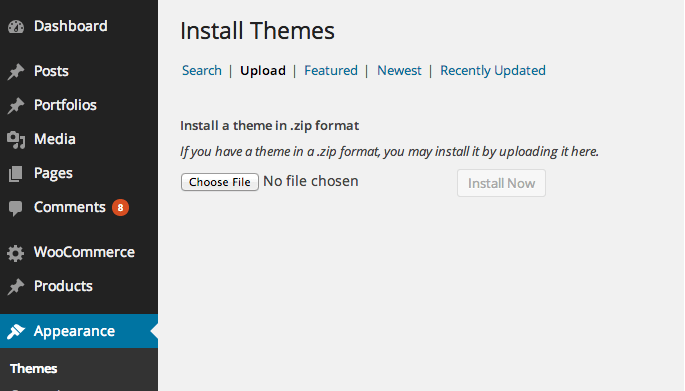
How to Install a WordPress Theme?

How to Import Sample Content or Dummy Data?

Importing Demo Content

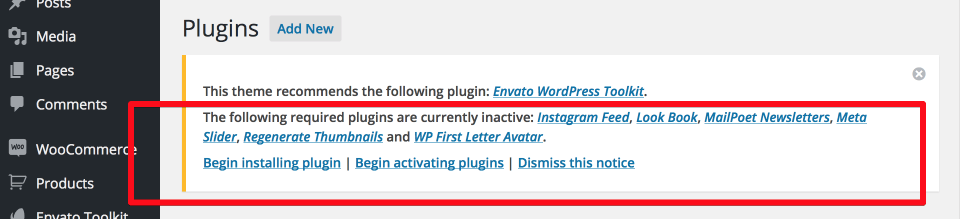
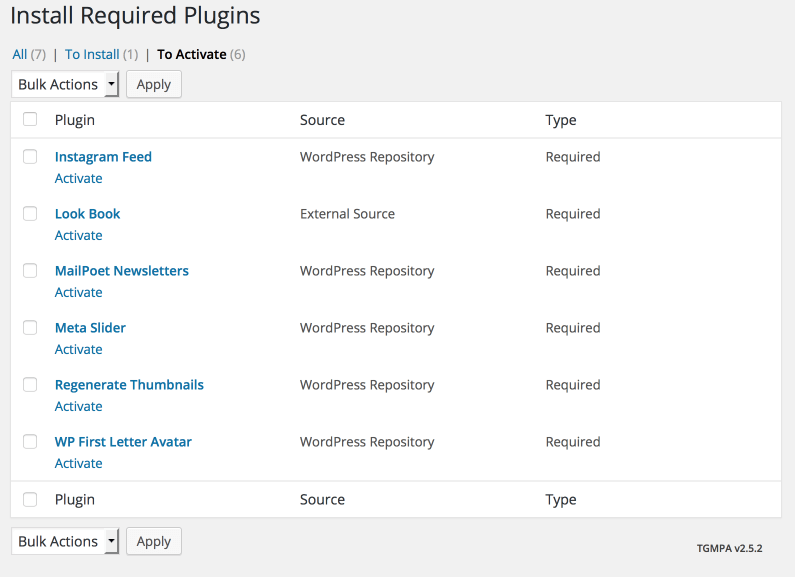
After activating the theme, install and activate all recommended plugins from the Appearance > Install Plugins section.

To import demo content, navigate to Appearance > Gecko Sample Data > Choose Layout > Import Demo Data. Follow the on-screen steps, and your site will resemble the demo.

Facing Issues Importing Demo Content?

If you encounter memory issues, add the following code at the top of your functions.php file:

ini_set('memory_limit', '128M');

Once the import is complete, remove the code from functions.php.

Where Is My Purchase Code?

To find your purchase code:

  1. Log into your Envato Market account.
  2. Hover over your username and click 'Downloads'.
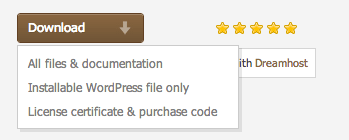
  3. Select 'License Certificate & Purchase Code' (available as a PDF or text file).

For more details, visit: Envato Help: Where Is My Purchase Code?

How Can I Get Support?

We're here to help! If you have questions about the theme's features or encounter issues, reach out to us via our Support Forum. Please note that we cannot assist with customizations or third-party plugins.

Use the ThemeForest comments section for pre-sale queries or general questions unrelated to support.

How to Contact an Author?

You can contact the author for questions about an item or to share feedback. Here are the ways to reach out:

Comments Tab

Post your comment under the item's Comments tab. Your query may already be answered in previous comments, so feel free to browse them as well.

For detailed guidance, visit: Envato Help: How to Contact an Author

Plugin Configuration

How to Install Plugins Included in the Theme?

How to Update Plugins Included in the Theme?

Is the Theme Compatible with Third-Party Plugins?

What to Do If There's a Conflict Between the Theme and a Third-Party Plugin?